
For the complete documentation index, see llms.txt.VALAR is a spacecraft mission planning and operations platform for satellite orbit management, maneuver planning, conjunction analysis, and ephemeris generation. This guide provides a detailed overview of the platform’s user-facing architecture and navigation patterns.
Navigation Structure
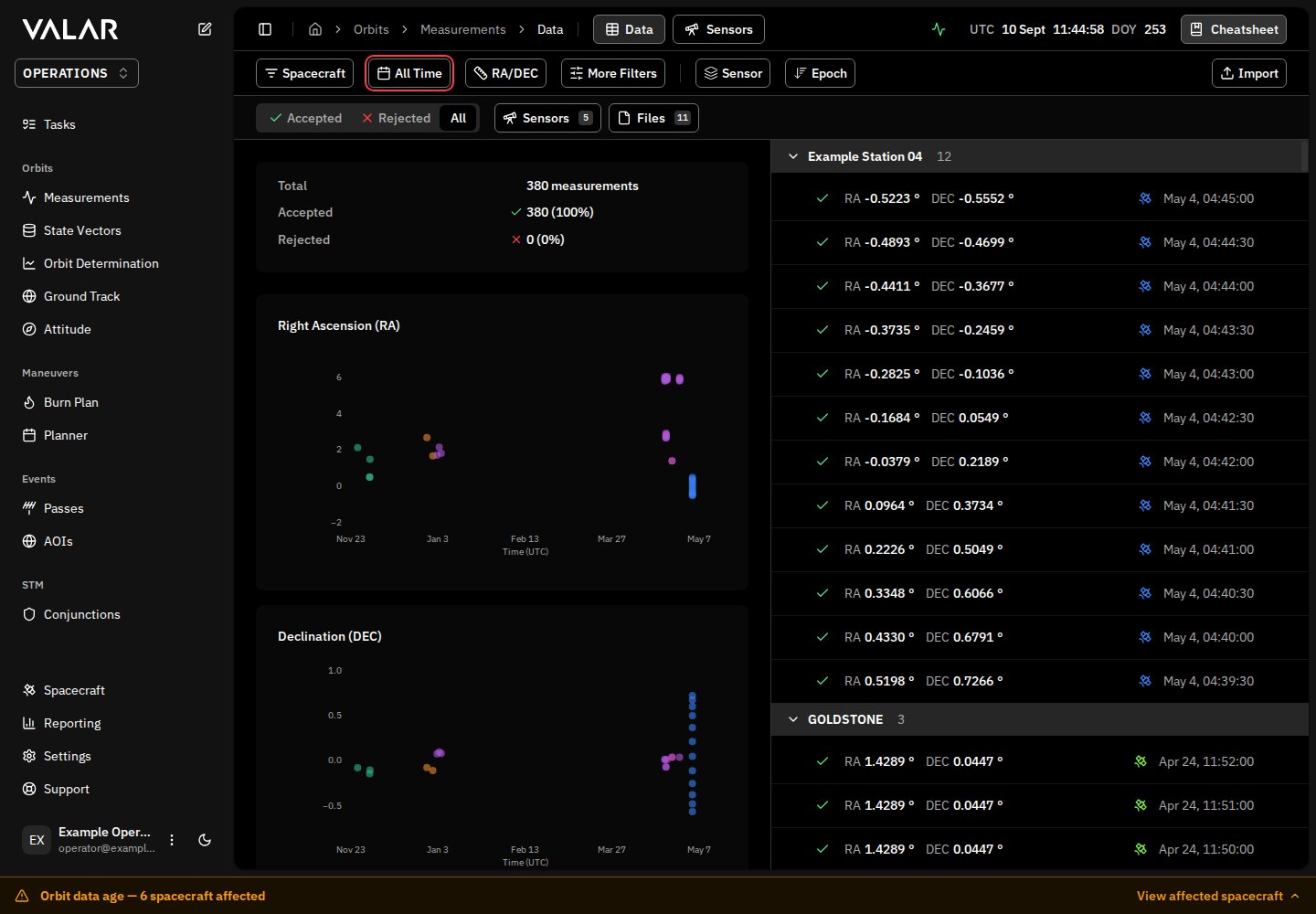
The platform uses a dual-navigation layout designed for efficient spacecraft operations:Left Sidebar
Primary vertical navigation with collapsible sections for main features
Top Header
Breadcrumbs, contextual tabs, and utility tools
Responsive Behavior
- Desktop: Persistent sidebar with collapse/expand functionality
- Mobile: Drawer-style overlay that adapts to smaller screens
Sidebar Navigation
The sidebar is your mission control center, providing access to all platform capabilities.Primary Navigation Sections
ORBITS
Track, determine, and visualize orbital data for your spacecraft fleet.- Tracking - View and manage orbit tracking measurements & sensors
- State Vectors - Manage spacecraft state data (Table & Keplerian views)
- Solutions - Orbit determination solutions & scheduling configurations
- Ground Track - Visualize spacecraft ground track on Earth
MANEUVERS
Plan and execute spacecraft maneuvers with precision.- Burn Plan - Manage maneuver execution plans
- Planner - Plan and schedule future maneuvers (feature flag required)
STM (Space Traffic Management)
Assess and manage collision risks (feature flag required).- Conjunctions - Collision risk assessment with High/Medium/Low classifications
Sidebar Footer
Quick access to essential tools and preferences: Spacecraft - Manage your spacecraft fleet
Support Menu - Docs, API Docs, Status page, Contact form
User Profile - Avatar, name, email with logout
Settings - Open configuration dialog
Theme Toggle - Switch between Light/Dark modes
Command Palette
Your productivity accelerator for quick access to platform actions and navigation. Trigger: ⌘K / Ctrl+K or pen button in sidebar header.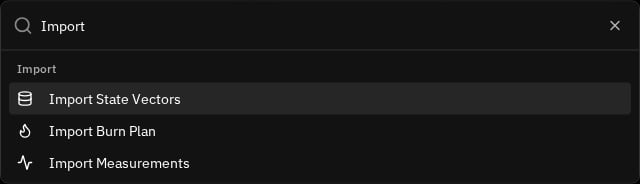
Quick Access Actions
The command palette provides instant access to common operations:Import
Import
- State Vectors
- Burn Plan
- Measurements
Add
Add
- Spacecraft
- New Maneuver
Run
Run
- Orbit Determination
Generate
Generate
- Ephemerides
Open
Open
- Settings
- Cheatsheet
- Process Monitor
Cheatsheet (Spacecraft Quick Reference)
A comprehensive modal displaying critical spacecraft data in a 3-column grid layout. Access: BookMarked icon in header: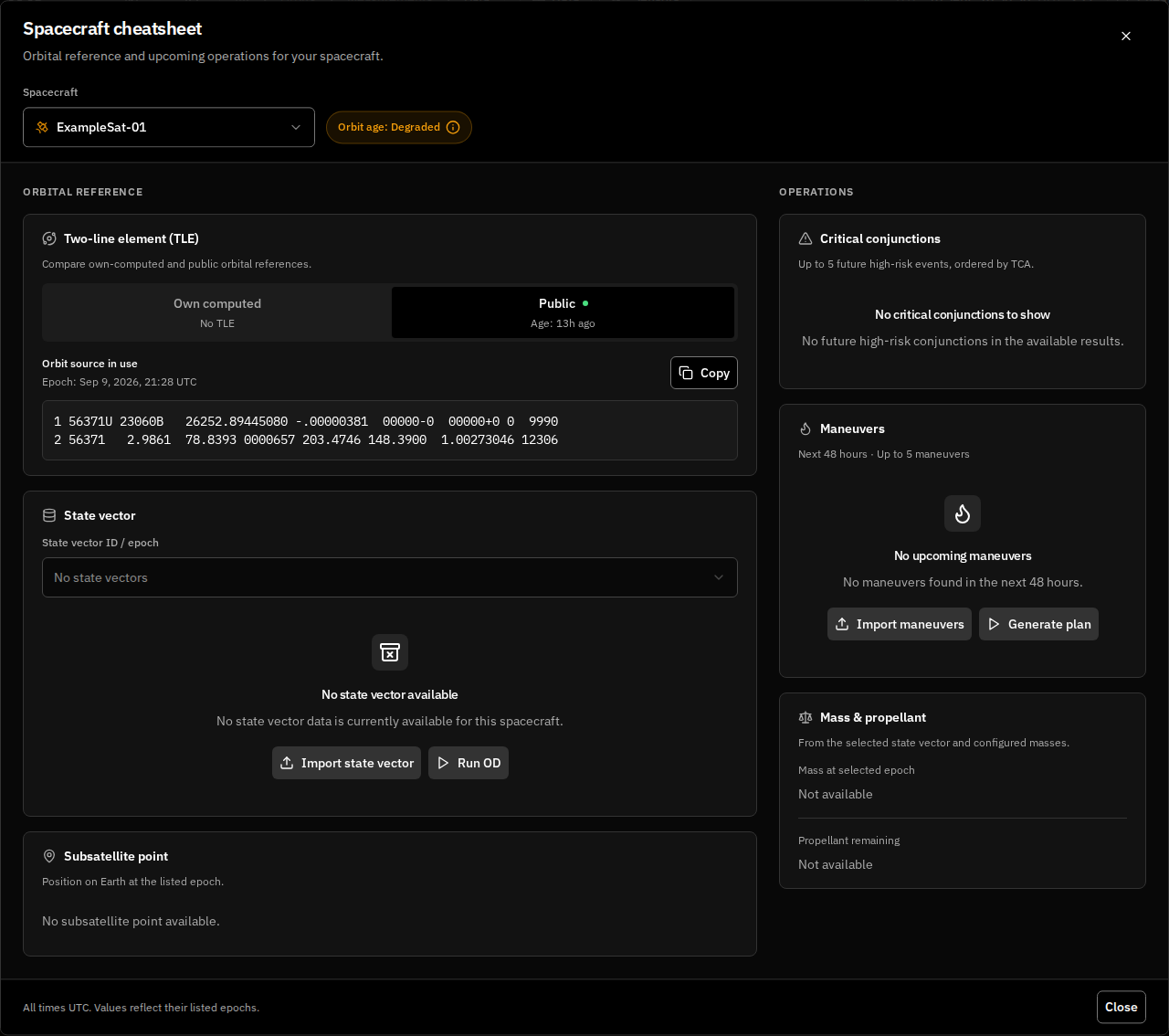
Cheatsheet Sections
TLE (Two-Line Element)
Copyable orbital elements (spans 2 columns)
Critical Conjunctions
High/Medium/Low risk events with TCA and miss distance
State Vector
Current orbital state with Keplerian & Cartesian tabs
Maneuvers
Upcoming burns with Delta-V values
Subsatellite Point
Current latitude/longitude
Mass & Propellant
Current mass with time-ago indicator & propellant percentage
Settings (Configuration Dialog)
Customize your platform experience with comprehensive configuration options. Access: Settings button in sidebar footer OR Command Palette: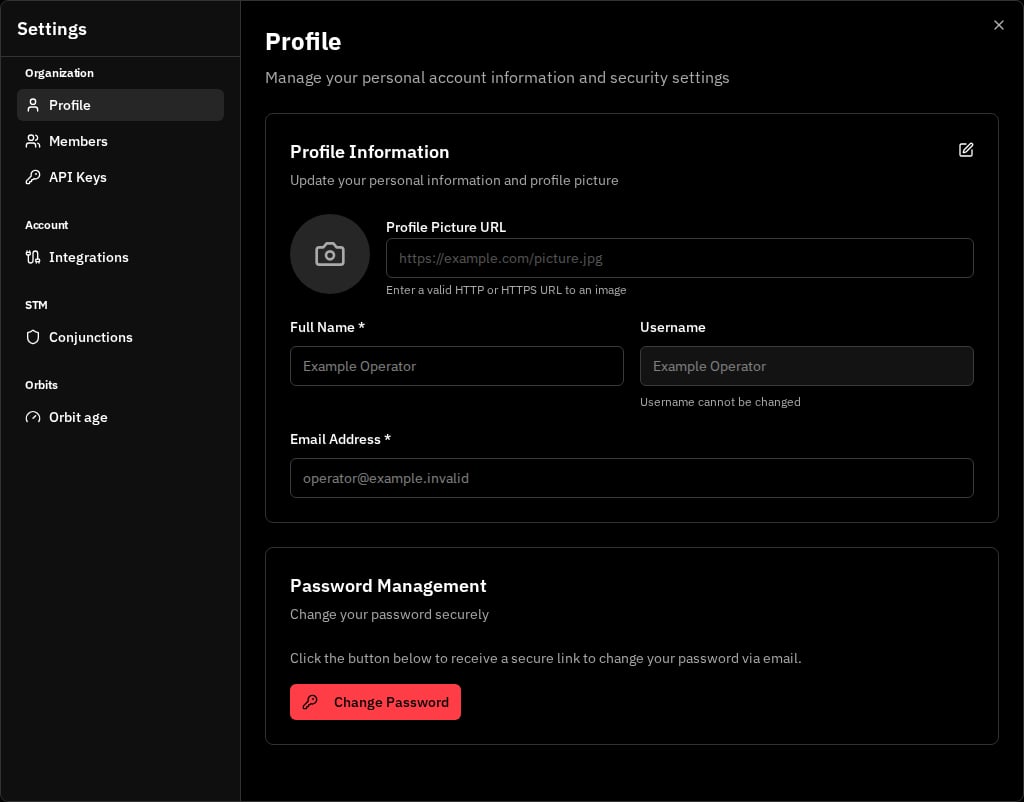
Organization
- Profile - Name, email, username, password (Auth0 integration)
- Members - Invite and manage organization members
Header Components
The header provides contextual navigation and real-time information.Left Section
Sidebar menu - Sidebar toggle Breadcrumb navigation - Home → Page hierarchy
Center Section: Contextual Tabs
Dynamic tabs that change based on the current page:Right Section: Utility Tools
Process Status - Real-time monitoring of async operations (15s polling)
UTC Clock - Live time display
Cheatsheet - Quick reference button
Key User-Facing Features
Modals & Dialogs
The platform uses modals for focused workflows:- Import Dialogs: OEM files, burn plans, measurements
- Form Dialogs: Add/edit spacecraft, thrusters, ground stations, maneuvers
- Export Dialogs: Generate ephemerides (OEM format)
- Special Dialogs: Covariance matrix viewer, burn details, support form
Real-time Features
Stay informed with live updates:- Push notifications - Instant alerts for critical events
- Process monitoring - Background job status updates (15s intervals)
- Live UTC clock - Always know the current time
Theme System
Light - Bright mode
Dark - Reduced eye strain
Main Routes Structure
Default route:
/ redirects to /orbits/measurements/dataComplete Route Map
Orbits
Orbits
/orbits/measurements/data- Measurements/orbits/measurements/sensors- Sensor configuration/orbits/solutions- OD solutions/orbits/solutions/schedules- OD scheduling/orbits/ground-track- Ground track map
State Vectors
State Vectors
/state-vectors- State vector table/state-vectors/keplerian-elements- Keplerian view
Maneuvers
Maneuvers
/maneuvers/burn-plan- Burn execution/maneuvers/planner- Maneuver planning
Conjunctions
Conjunctions
/conjunctions- Conjunction analysis
Spacecraft
Spacecraft
/spacecraft- Fleet overview/spacecraft/new- Add spacecraft
API
API
/api-docs- API documentation
Next Steps
Now that you understand the platform architecture:Core Concepts
Learn fundamental spacecraft operations concepts
Data Model
Understand how orbital data is structured
Quick Start Guide
Get started with your first spacecraft
Spacecraft Management
Manage your spacecraft fleet