
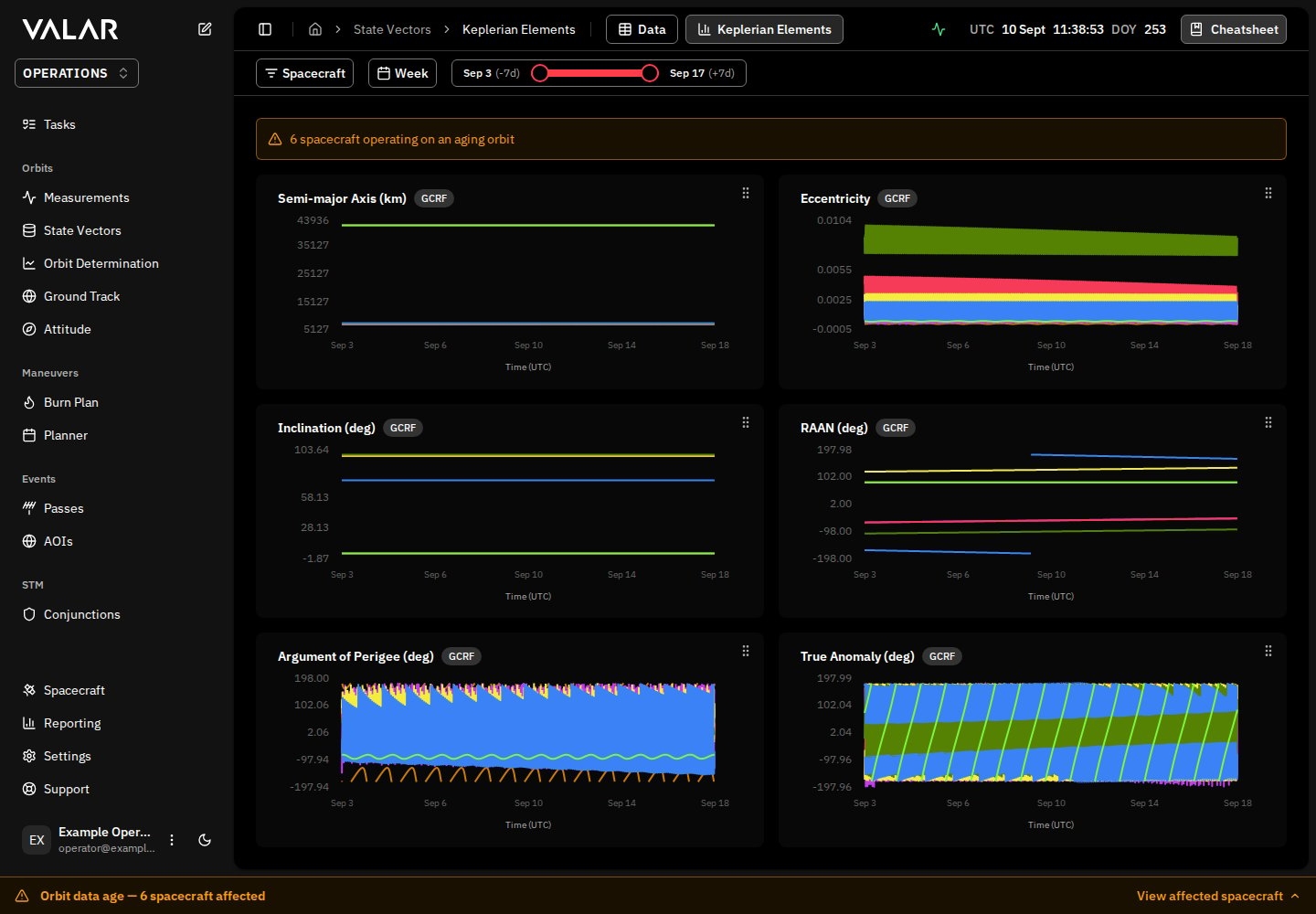
For the complete documentation index, see llms.txt.The Keplerian Elements page displays time-series visualizations of the six classical orbital elements for your spacecraft. Each element is shown in its own chart card, and you can filter by spacecraft and reorder the cards to customize your view. Route:
/state-vectors/keplerian-elements
Page Layout
Orbital Elements Displayed
The page shows 6 Keplerian orbital elements in a 2-column grid:Spacecraft Filter
Filter which spacecraft are plotted on all charts.
Actions:
- Click to open popover dropdown
- Check/uncheck spacecraft to display
- Click Apply to confirm selection
- Click Clear All to deselect all
- Remove individual spacecraft via X button on badges
- Filters which spacecraft are plotted on all charts
- Each spacecraft shown as separate colored line
- URL updates to persist selection
Element Cards
Card Structure
Each orbital element is displayed in a card containing: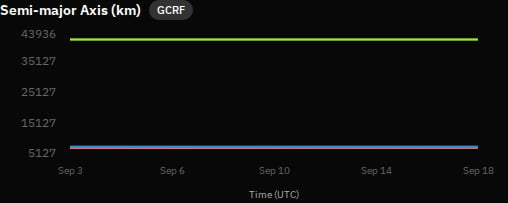
- Element Name: e.g., “Semi-major Axis”
- Unit: e.g., “km” or “deg”
- Reference Frame Indicator: A small chip showing the frame the element values are expressed in (e.g.,
GCRF). Hover for the full frame name; click Learn more to open the reference frame catalog. The badge appears on every element card on this page. - Drag Handle: Grip icon for reordering
Chart Visualization
Each chart displays: X-Axis: Time (UTC)- 5 evenly-spaced tick labels
- Shows date/time labels
- Auto-scaled to fit data
- Formatted by element type:
- Semi-major axis: Integer km values
- Eccentricity: 4 decimal places
- Angular elements: 2 decimal places with °
- One line per selected spacecraft
- Color-coded by spacecraft
- Smooth curve interpolation
- No dots on data points (clean lines)
Drag-and-Drop Reordering
How to Reorder Cards
Each card has a grip icon in the top-right corner. To reorder:- Hover over the drag handle - cursor changes to grab
- Click and hold the drag handle
- Drag the card to desired position
- Release to drop
- Dragged card shows preview overlay
- Original position becomes semi-transparent (30% opacity)
- “Chart hidden during reordering” message displays
- Smooth animation when cards swap positions
Keyboard Support
- Use arrow keys to rearrange cards (when focused on drag handle)
- Tab to navigate between drag handles
Order Persistence
- Your custom order is automatically saved to browser storage
- Persists across page reloads and sessions
- Stored with key
keplerian-elements-order
Default Order
- Semi-major Axis
- Eccentricity
- Inclination
- RAAN
- Argument of Perigee
- True Anomaly
Chart Interactions
Hover Tooltip
Hover over any point on a chart line to see values: Value Formatting:- Semi-major Axis: Localized number with “km” (e.g., “7,012.34 km”)
- Eccentricity: 4 decimal places (e.g., “0.0012”)
- Angular elements: 2 decimal places with ° (e.g., “98.52°“)
Active Point Indicator
When hovering:- Small filled circle appears at exact data point
- Circle matches spacecraft color
- White border for visibility
Cursor Line
- Dashed vertical line follows cursor
- Helps align values across time axis
Angular Element Handling
For angular elements (Inclination, RAAN, Argument of Perigee, True Anomaly): Discontinuity Handling:- Charts automatically detect wrapping at 0°/360° boundaries
- Line breaks at discontinuities to prevent unrealistic connections
- Thresholds:
- Inclination: 90° jump threshold
- RAAN, Arg. of Perigee, True Anomaly: 180° jump threshold
This ensures clean visualization without diagonal lines crossing the entire chart when angles wrap around.
Data & Time Range
Default Data Range
Data Resolution
- Time step: 5 minutes (300 seconds)
- Sufficient detail for orbital trends without overwhelming the charts
Data Caching
- Results cached per spacecraft/time range
- Prevents redundant API calls when switching views
When the orbit is stale or unusable
The charts plot each spacecraft from a fresh orbit. A spacecraft’s orbit age is measured from its latest state vector — the position and velocity at an epoch you provide through orbit determination, an OPM import, or manual entry. As that age grows it crosses two levels in turn — the degraded level, then the stale level — and the page reacts differently at each. The charts normally compute the moment you open the page; on a stale orbit they wait for you to choose to proceed. What you see depends on the selected spacecraft’s orbit age:
Both
N values are whole days — the spacecraft’s actual orbit age and your configured stale level. The stale and degraded levels are workspace-wide values set once in Settings → Orbits → Orbit age (stale level default 14 days); the same values govern the ground-track map and AOI overflight, so “stale” means one consistent thing across all three. See Orbit age for the workspace-wide policy and the block message.
Every spacecraft affected at either level is also named in the unified orbit-data-age footer at the bottom of the page — tagged Degraded at the degraded level, or Blocked once past the stale level — so you can see which spacecraft are affected without inspecting each chart.
Loading & Error States
Color Coding
Each spacecraft has a unique color that is consistent across:- Chart lines
- Tooltip indicators (colored dots)
- Spacecraft filter badges
Quick Reference
Understanding Keplerian Elements
Keplerian elements are six parameters that uniquely define an orbit:- Semi-major Axis (a): Determines the size of the orbit
- Eccentricity (e): Determines the shape (0=circle, 0-1=ellipse)
- Inclination (i): Tilt relative to Earth’s equator
- RAAN (Ω): Orientation of where orbit crosses equator
- Argument of Perigee (ω): Orientation of closest approach point
- True Anomaly (ν): Current position along the orbit
Why Track These Over Time?
- Detect orbital drift: Semi-major axis changes indicate altitude changes
- Monitor stability: Eccentricity variations show orbit shape changes
- Track precession: RAAN and Argument of Perigee naturally precess
- Verify maneuvers: Changes in elements after planned burns
- Predict decay: Long-term trends in semi-major axis