
For the complete documentation index, see llms.txt.Ground sensors are required to track spacecraft and collect telemetry data. The Sensors page allows you to create, view, and delete sensor configurations that are used for processing tracking measurements. A tracking sensor is a fixed ground-based observer that watches spacecraft from the surface — not to be confused with an on-board spacecraft payload, which is a sensor carried by the spacecraft itself (see Payloads on the Spacecraft page). Route:
/orbits/measurements/sensors
Page Layout
The sensors page has a split-panel design: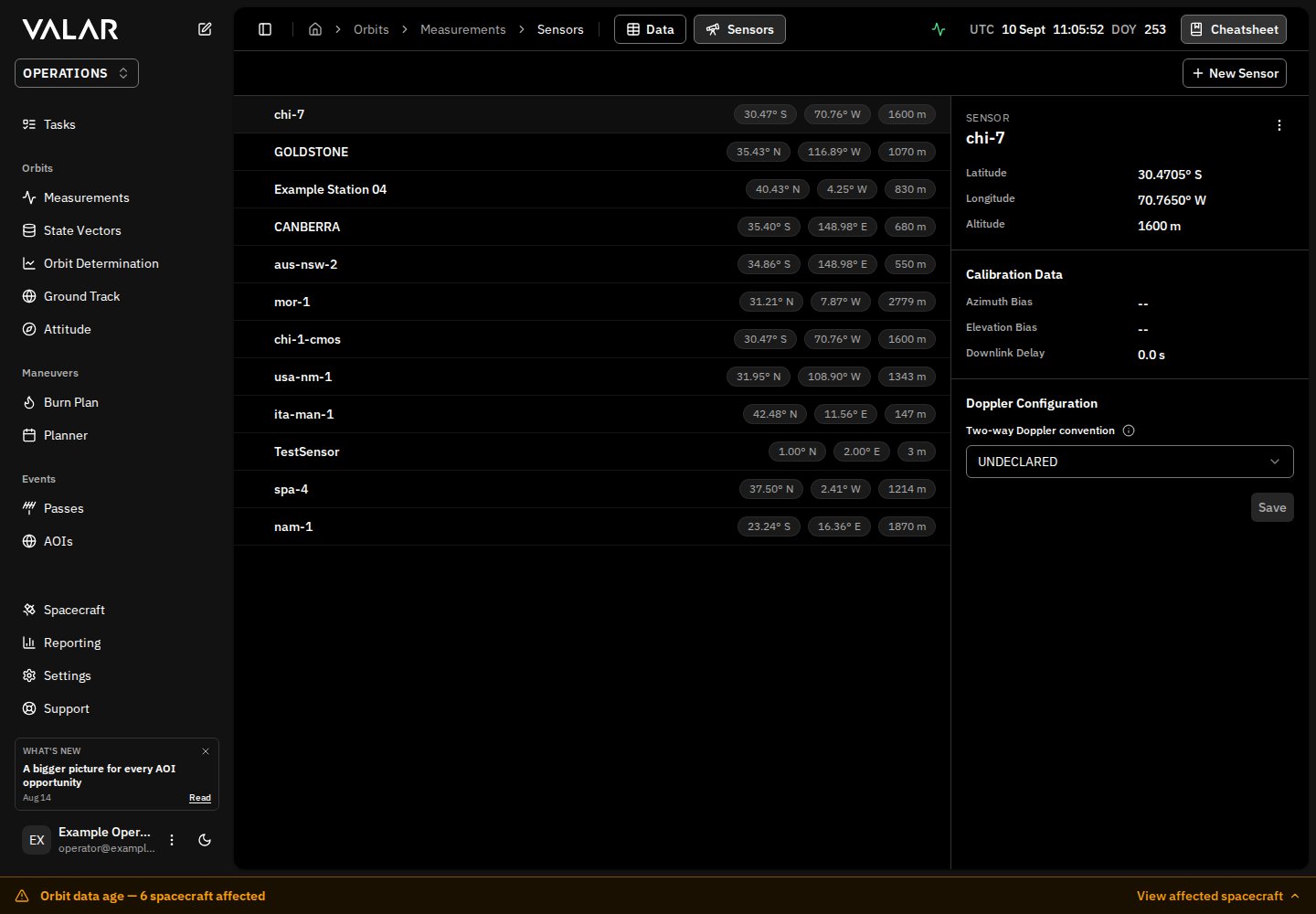
Viewing Sensors
The sensor list (left panel) displays all ground sensors in your organization. Each row shows:- Sensor ID (e.g., “DSN-15”)
- Latitude (e.g., “35.43° N”)
- Longitude (e.g., “116.89° E”)
- Altitude (e.g., “1000 m”)
Viewing Sensor Details
Click any sensor row to view its details in the right panel:Creating a Sensor
Click + New Sensor in the top-right corner to open the creation dialog.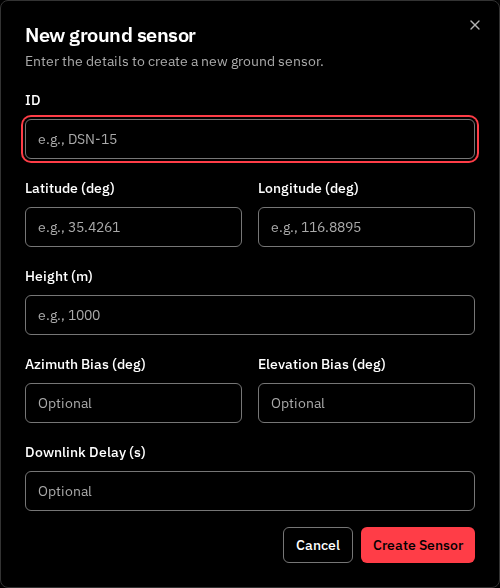
Required Fields
Optional Fields (Calibration)
Default Configuration
When created, sensors are automatically configured with:Measurement Uncertainty Compatibility
Sensor creation currently retains temporary legacy uncertainty assumptions so that the normal create-sensor → import workflow continues to work:- UI-created AZEL measurements use 1 arc-second per component.
- RANGE imports use 1 m when the sensor carries the legacy two-entry sigma array.
- Existing sensors with absent or null sigmas can still import: AZEL/RADEC use 2062 arc-seconds per component, and RANGE uses 1 m. These same fallbacks apply when the configured array has the wrong number of components.
- Valid dimension-matched configured values take precedence: two positive finite values in arc-seconds for AZEL/RADEC, or one positive finite value in meters for RANGE.
Sensor Types
The platform supports two sensor types:Only GROUND_STATION sensors can be created through the UI. TELESCOPE sensors must be configured via the API.
Outcomes
- Success: Toast notification “Sensor ID created”, sensor list refreshes
- Error: Toast with error message from API
Deleting a Sensor
Single Delete
- Select a sensor by clicking it
- Click the ⋮ (three-dot menu) in the details panel header
- Click Delete Sensor
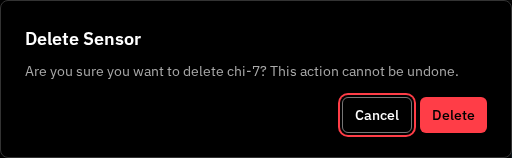
- Success: Toast “Deleted sensor ID”, list updates, next sensor auto-selected
- 404 Error: Toast “Sensor ‘ID’ could not be deleted. It does not exist”
- Other Error: Toast “Something went wrong deleting sensor ID”, list refreshes
Bulk Delete
- Select multiple sensors using checkboxes (checkboxes appear on hover)
- A floating action bar appears at the bottom
- Click Delete
Outcomes:
- Success: Toast “count sensor(s) deleted successfully”, list updates
- Partial Failure: Toast “Failed to delete some sensors”, list refreshes
- Selections are cleared after operation
Important Limitations
Doppler Ingestion Configuration
Each sensor may declare a per-sensortwoWayDopplerConvention field that tells the TDM ingestion pipeline how to interpret two-way DOPPLER_INSTANTANEOUS observables produced by that sensor. The two valid CCSDS conventions (MEAN and SUM) differ by a factor of two and are not distinguishable from the keyword alone — declaring the convention explicitly avoids a 100% bias in the observable.
DOPPLER requires one finite positive catalog sigma in m/s in the normalized observable convention. The importer does not supply Doppler band defaults. The temporary angle/range compatibility policy above does not apply to Doppler. Missing station latitude, longitude, or ellipsoid height must also be supplied; explicit zero coordinates are valid.
See Doppler (Range-Rate) Measurements for the producer-convention, correction, required-uncertainty, and error contracts.
Related Pages
- Import measurements: Upload TDM, OEM, and SP3 files
- View measurements: Filter and manage measurement data by sensor
- TDM file format: Doppler observable contract, required uncertainty, and error codes